
DClutter
Swipe to clean your files: a Mac app that asks for one decision at a time, not one more gigabyte.
- Role
- Sole developer
- Timeline
- One week, Aug 28 to Sep 4, 2026
- Team
- Solo
- Stack
- Swift
- SwiftUI
- SwiftPM
- XCTest
- Result
- 771 files down to the 3 I need
771 unmade decisions
The sem had just ended. I opened my Mac and thought: wait, when did I last organize this? Then I opened Downloads. Whiplash. 771 files, and no idea where to start.
I tried the old manual way first, but a Mac doesn't do the quick click-and-delete I was used to on Windows. So I asked myself: what if cleaning felt less like a chore and more like a trip down memory lane?
Tinder for your folders
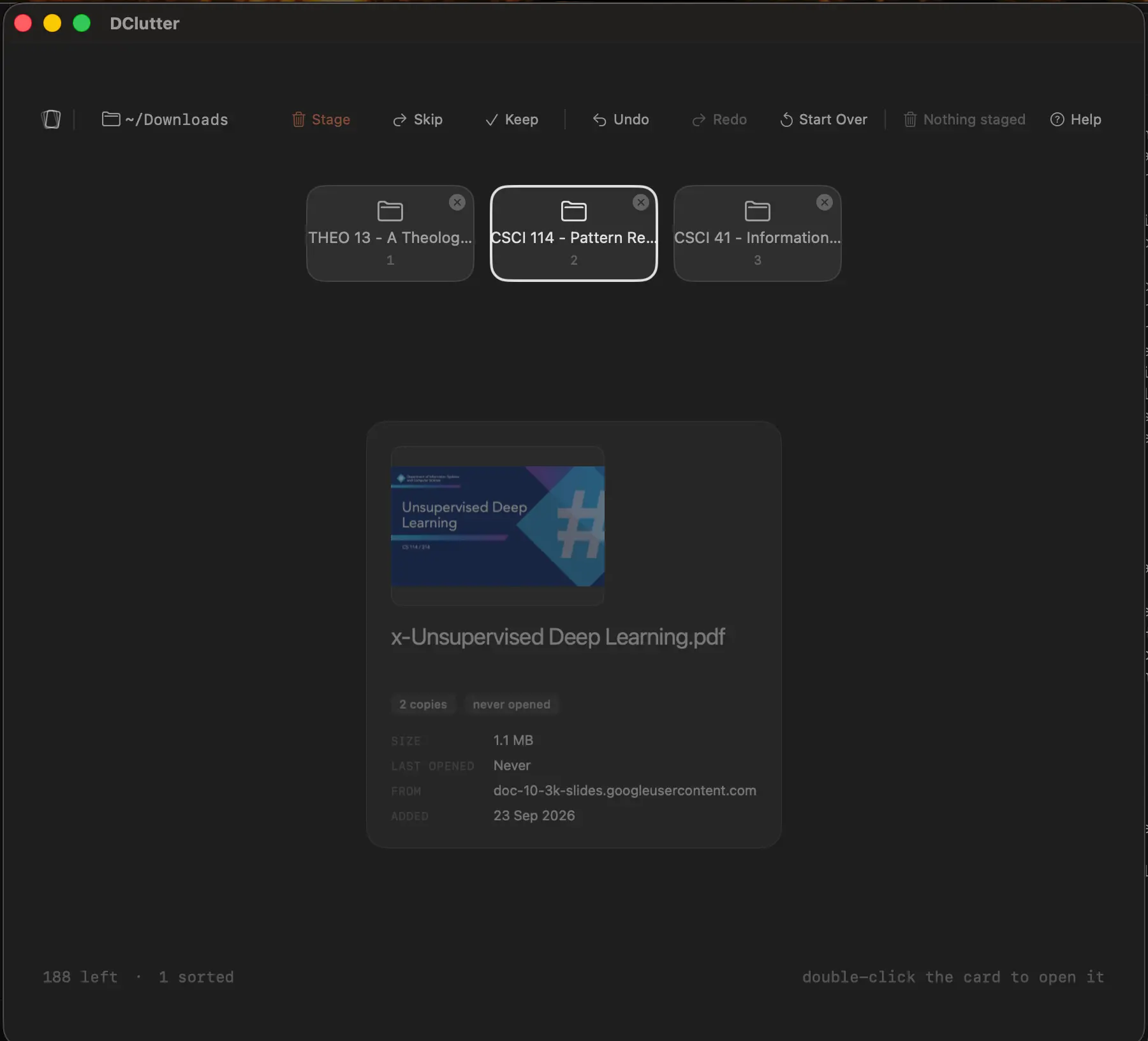
That's DClutter. It shows you one file at a time, with a real preview and the details that decide its fate: how big it is, when you last opened it, and where it came from. Swipe right to keep it. Swipe left to trash it. Press up to file it into one of your favorite folders, or down to rename it.
Why one at a time? It takes about half a second to know whether a file matters, and your fingers can keep up with your mind. You'd make the same call looking at a list. One card just takes away the friction of seeing everything at once, and lets you focus on the one in front of you.
The order isn't random, either. Not everyone has twenty minutes to sit down and clean, so the likeliest goodbyes come first. Duplicates lead the line, since you only ever need one copy. Files you made yourself, rather than downloaded, go to the back, because odds are you kept them for a reason.
Nothing gets deleted until you say so
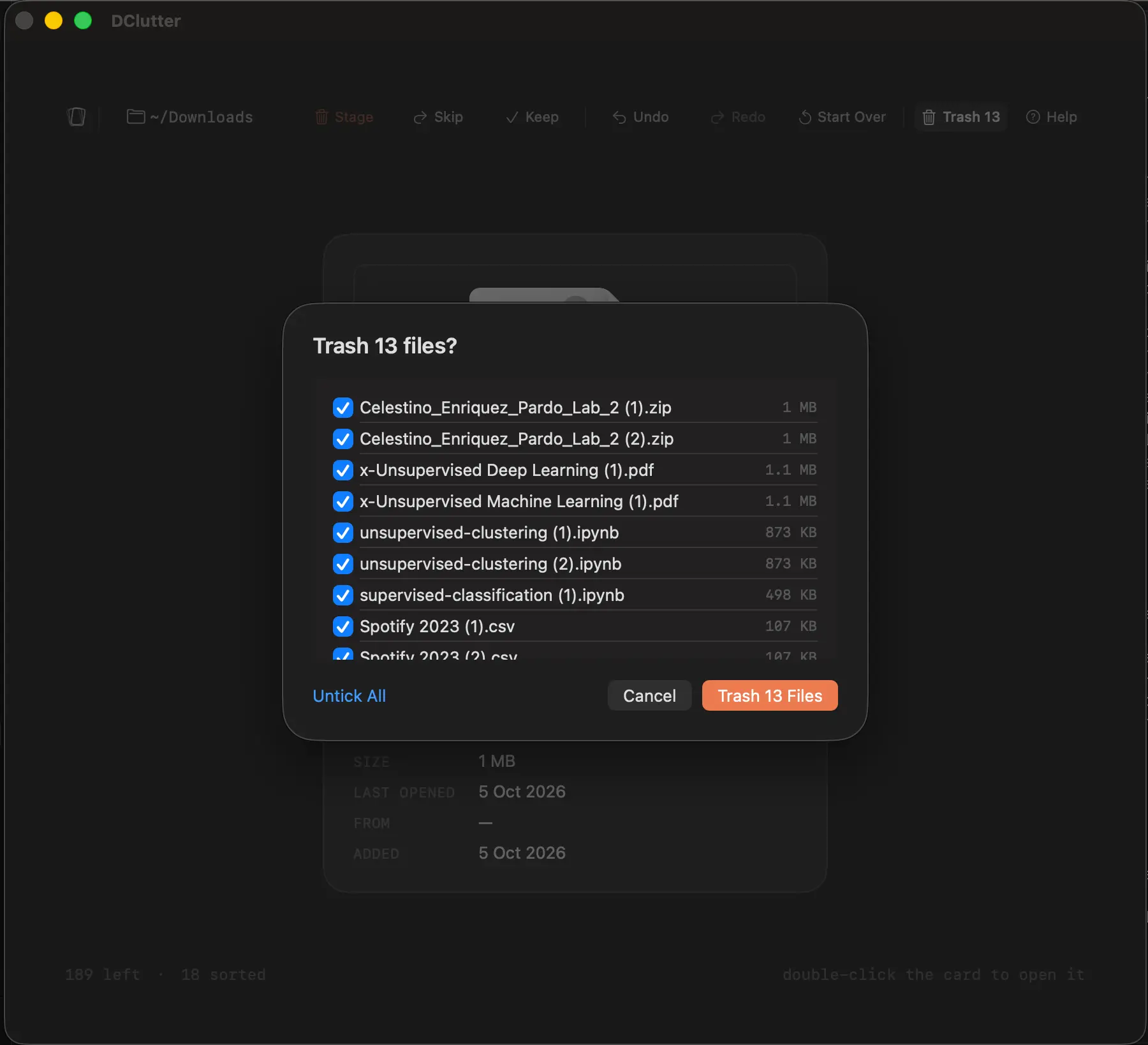
These are files that can disappear for good, so a swipe left never deletes anything. It only stages the file. When you're ready, you get the whole list for a second look, and nothing moves until you confirm. Even then, files go to the Trash, not into the void.
Staging made undo easy, too. A file that was never deleted is a lot simpler to bring back than one you have to dig out of the Trash. The rules that keep your files safe live in their own Swift package, with tests that enforce them.
A trackpad isn't a phone
I was sure swiping would be the hook, the same flick you do on your phone. Then I used it. A trackpad isn't a phone screen, and the gesture felt like effort, which is exactly what DClutter was supposed to take away. So I reached for the arrow keys.
In the end I kept both. Swipe if you like it, tap an arrow if you don't.
What I'd do next
Another month would go into a smoother experience, and into the step every Mac app eventually faces: Apple notarization. It costs money, so for now DClutter ships without it. If it picks up enough traction, that door is still open.
Why it made the four
No class, no deadline, and no one asking. Just a problem that kept coming back, and me finally doing something about it. Then I shared it, and a small community trusted it with their own files: 18 downloads, 6 stars, and 1 fork as of October 2026.
771 unmade decisions, finally made.